# End contract as a COR Contractor on Multiplier
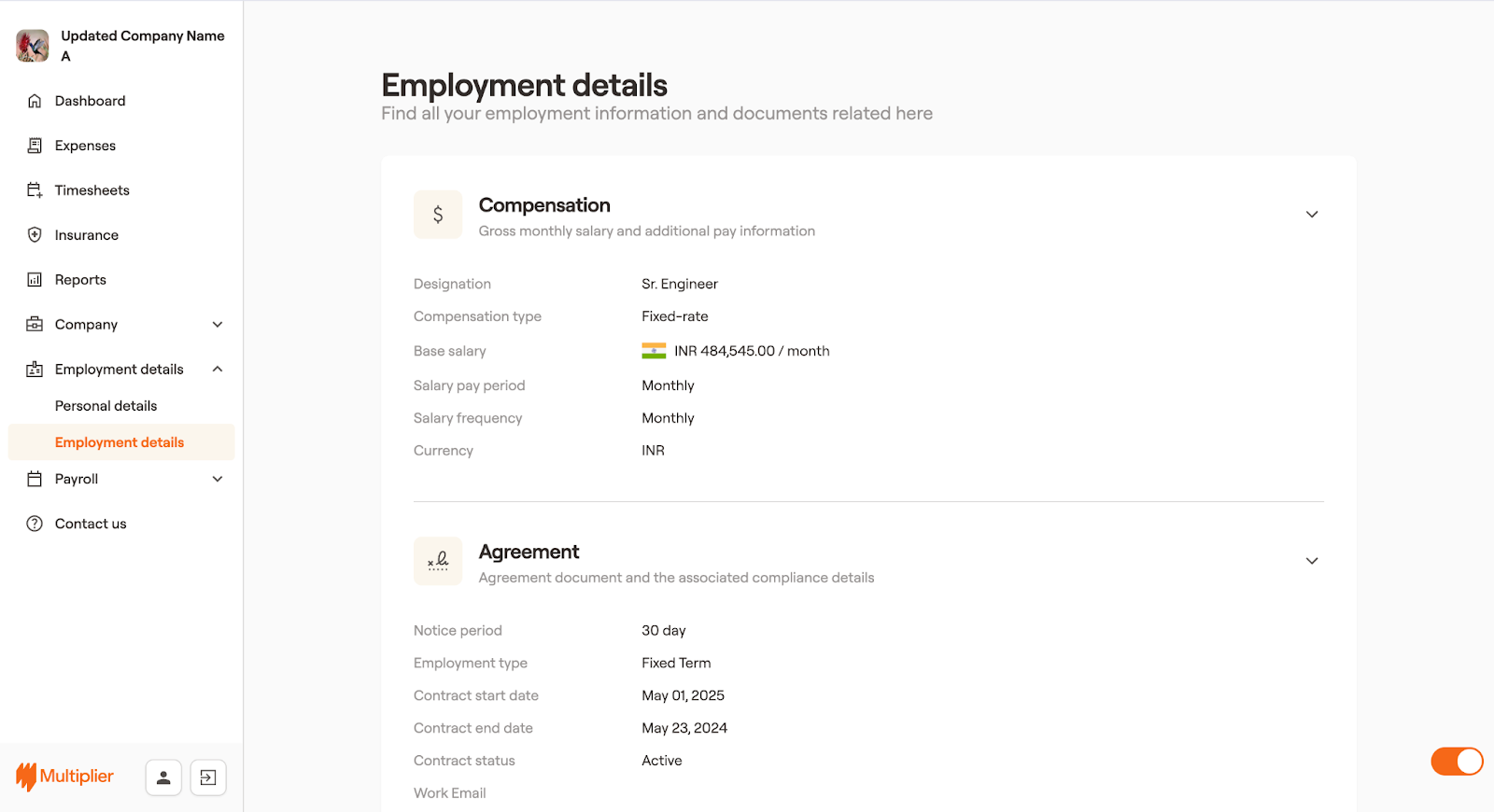
1. Log in to Multiplier using your credentials.
2. From the left sidebar, select Employment details, and then select Employment details again.
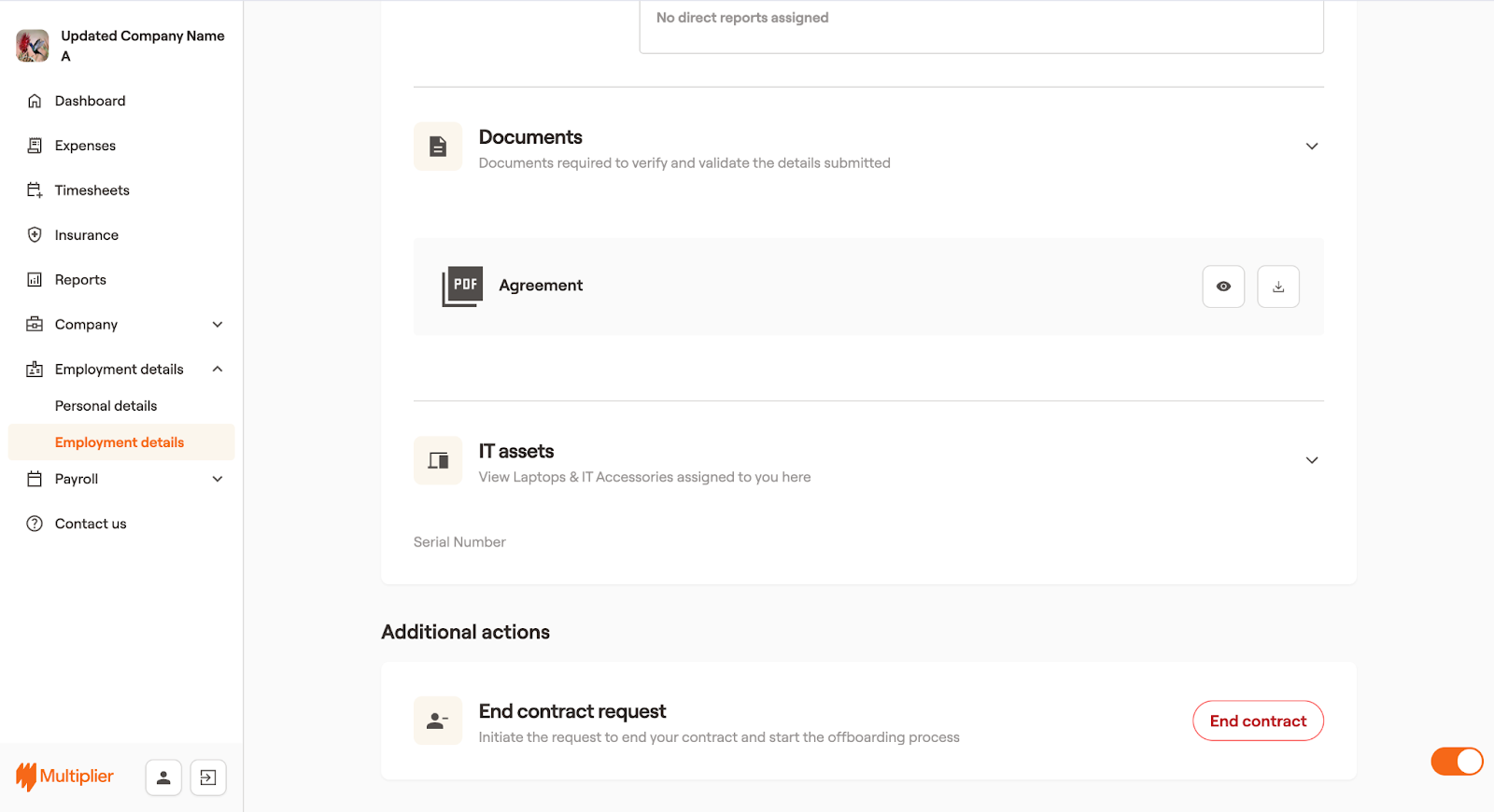
3. In the Employment details window, scroll down to the Additional actions section and select **End contract**.
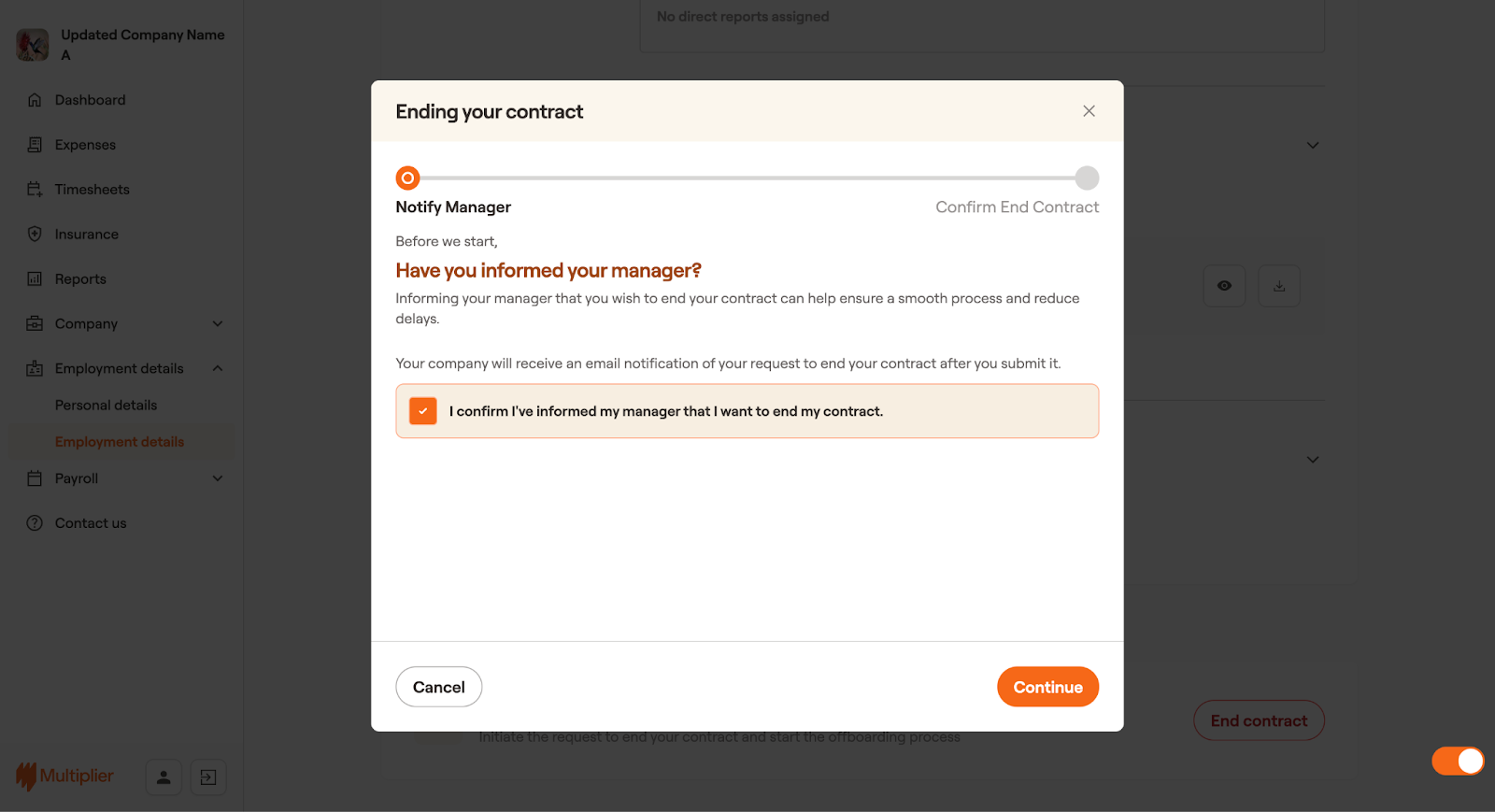
4. In the Ending your contract dialog box, read the conditions before you start the process, and then select the checkbox next to I confirm I’ve informed my manager that I want to end my contract.
5. Once done, select **Continue**.
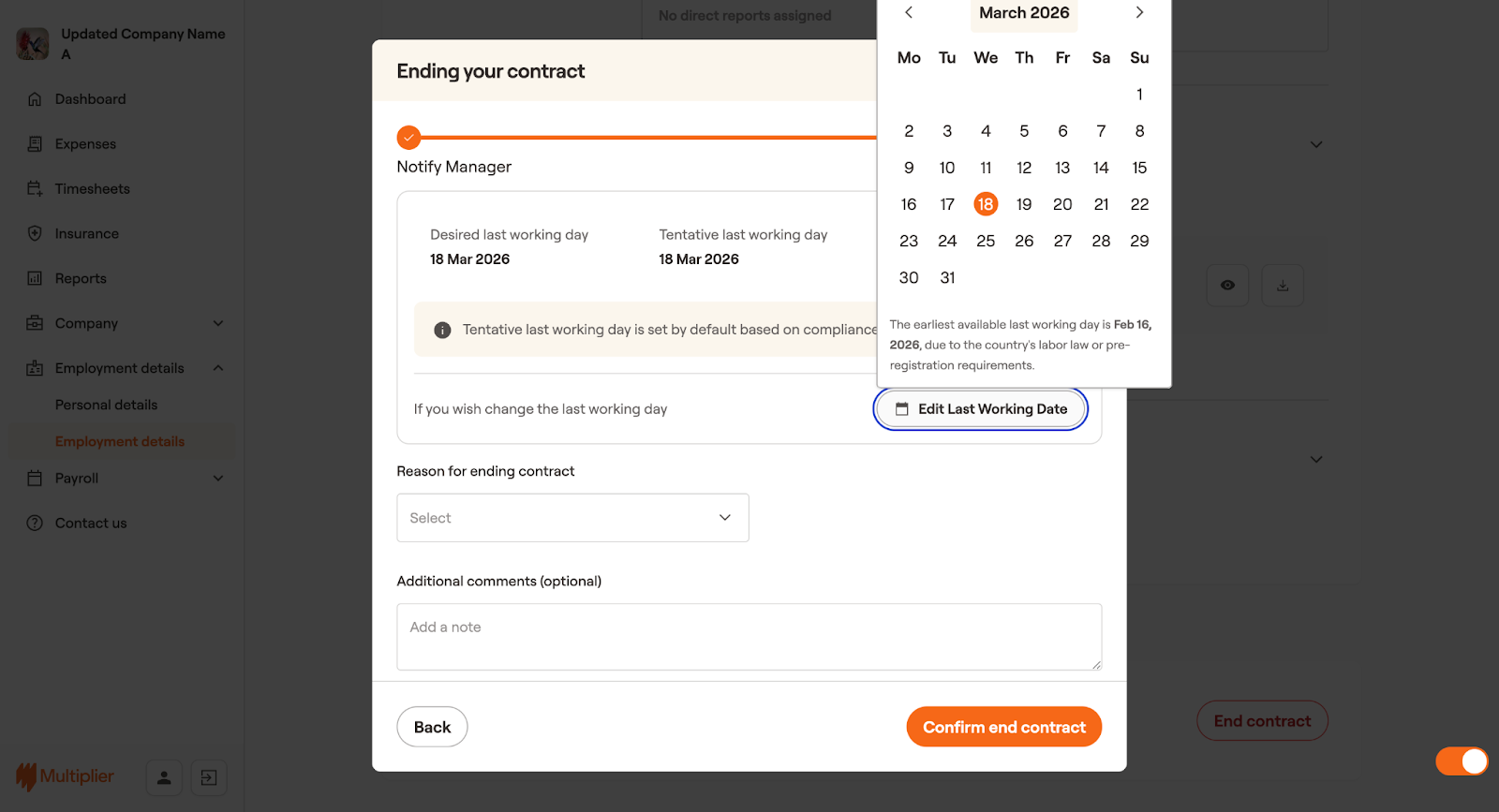
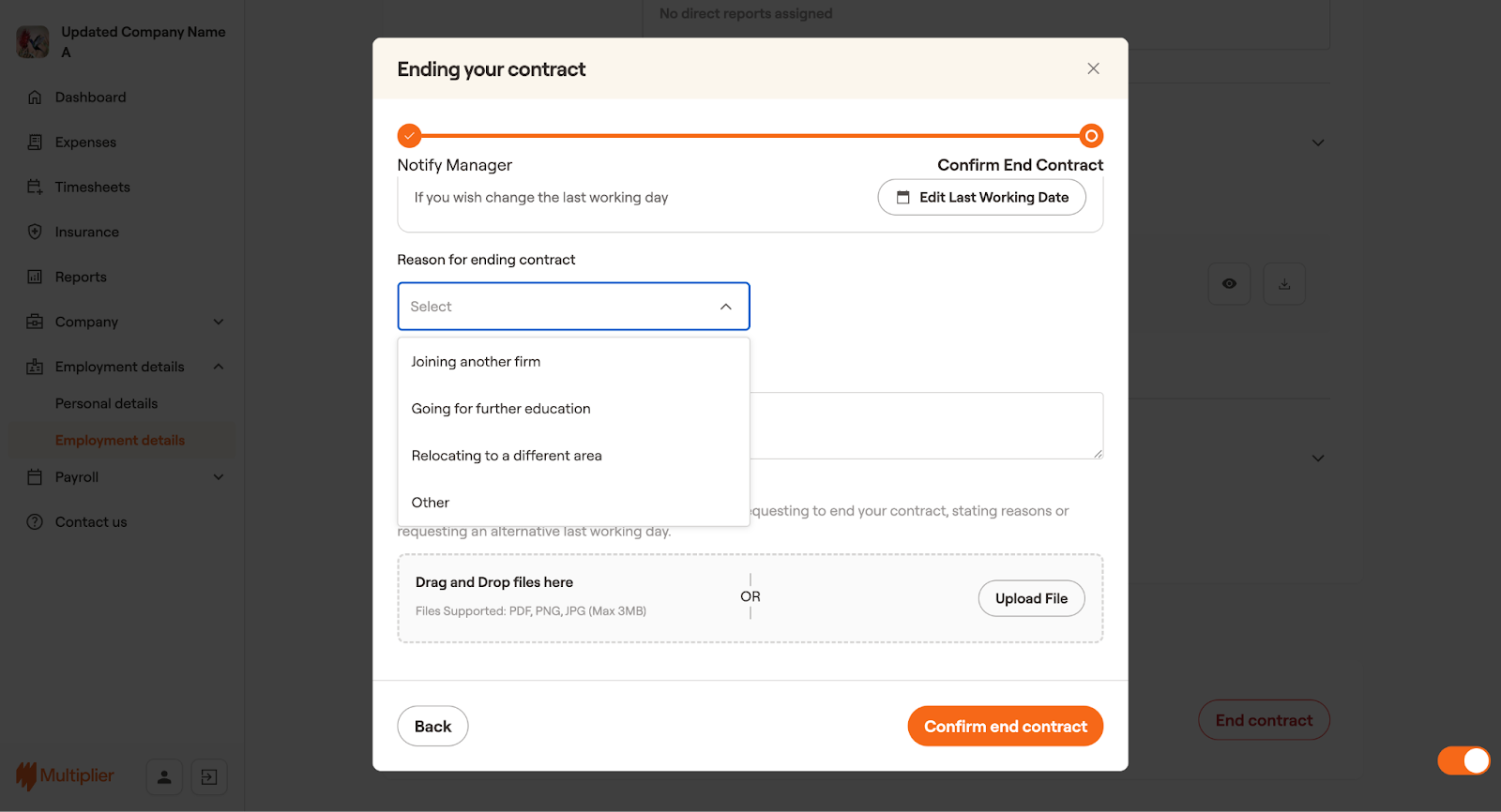
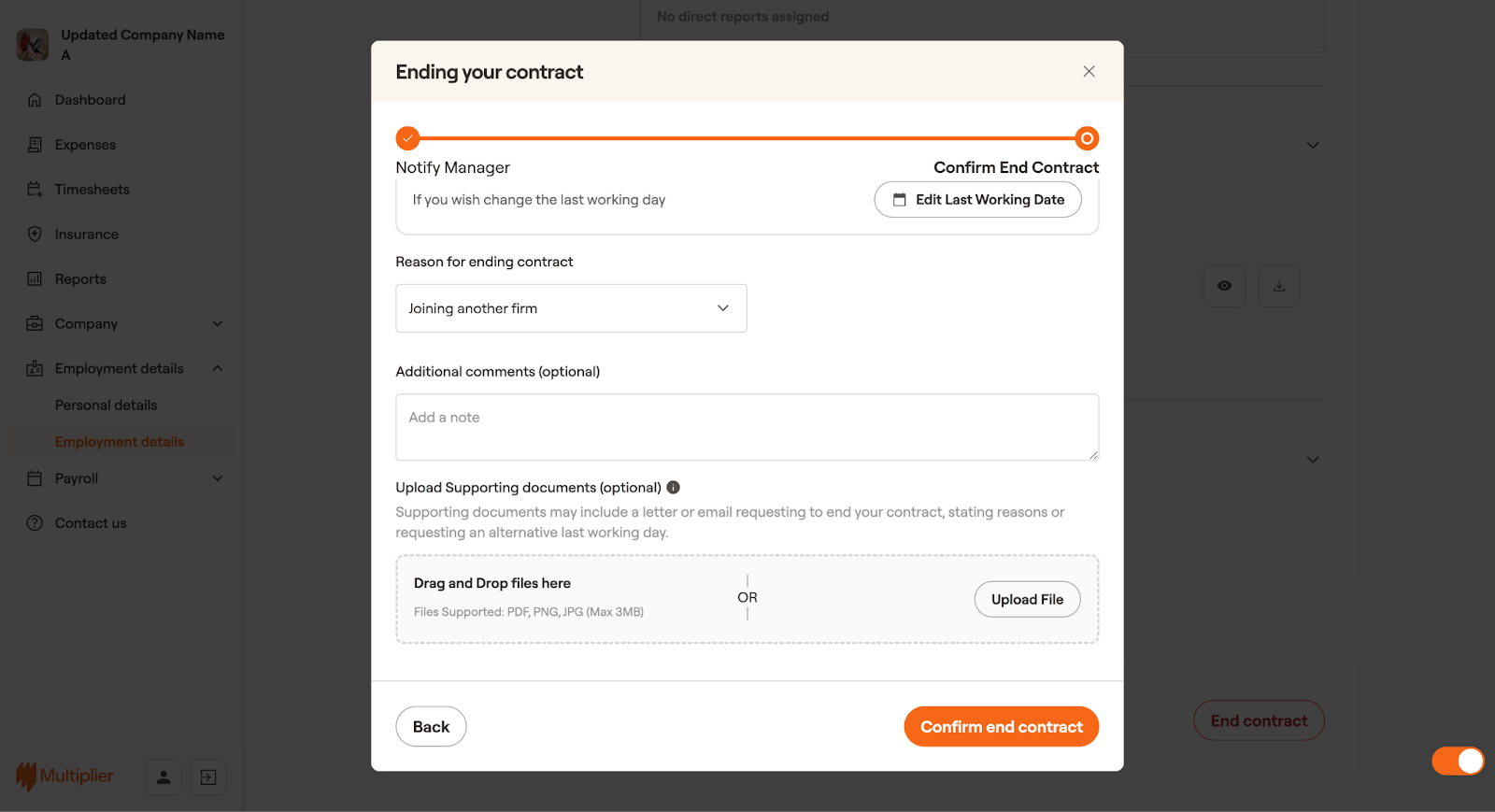
6. If you wish to change the last working day, select **Edit Last Working Date** and then select the desired last working date. If you don’t want to edit the last working date, move forward to the next step.
7. Select the reason for ending the contract.
8. (Optional) You can add any additional comments if required and upload supporting documents.
9. Select **Confirm end contract**.
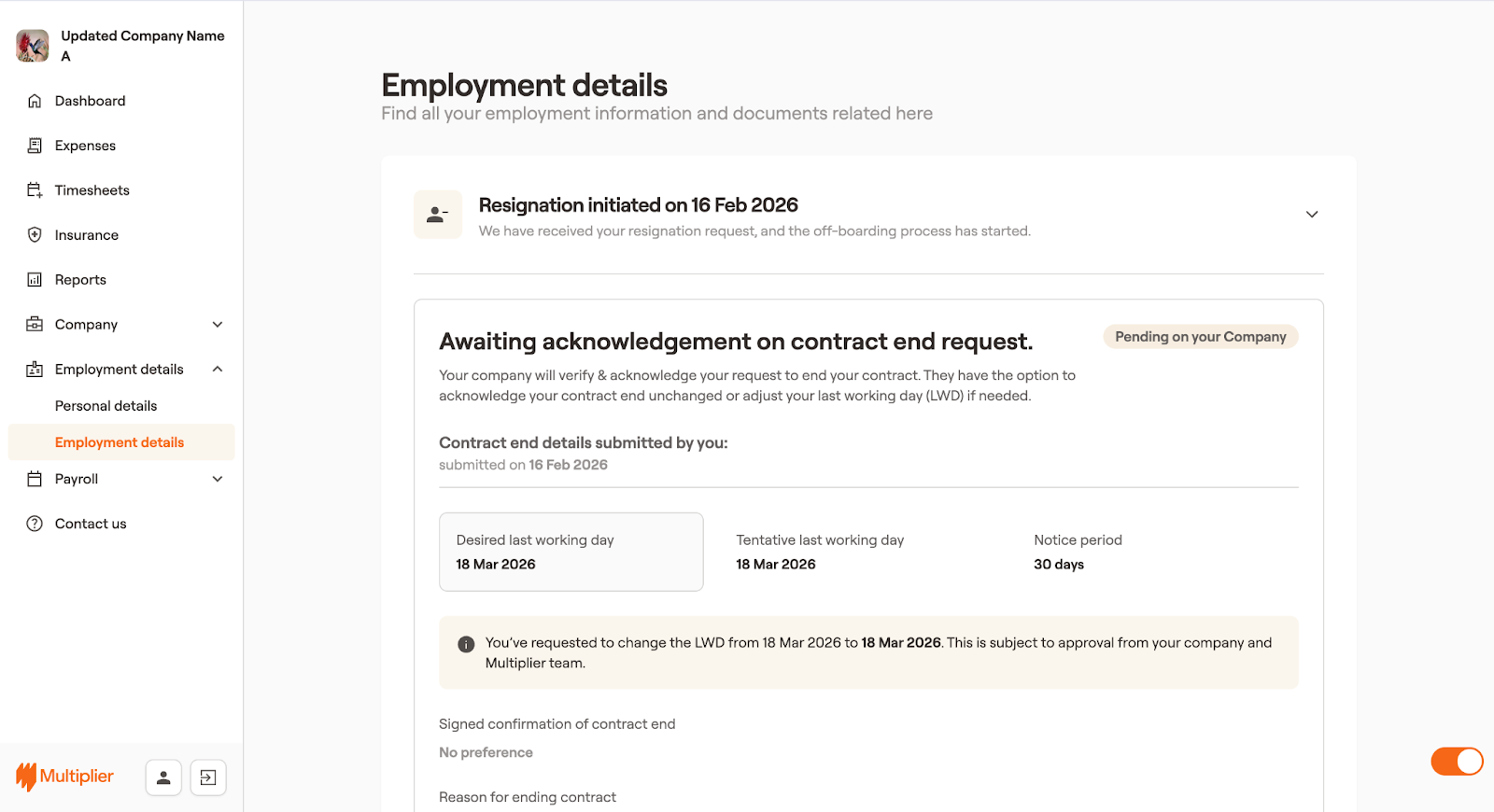
Your request to end the contract has been received and is awaiting approval from your company. Once the request is approved, your offboarding process starts.